 main.cpp
 glEnable(GL_LIGHTING); //Enable lighting
//조명 2개 활성화
glEnable(GL_LIGHT0); //Enable light #0
glEnable(GL_LIGHT1); //Enable light #1
glEnable(GL_NORMALIZE); //Automatically normalize normals
//Add ambient light
GLfloat ambientColor[] = {0.2f, 0.2f, 0.2f, 1.0f}; //Color (0.2, 0.2, 0.2)
glLightModelfv(GL_LIGHT_MODEL_AMBIENT, ambientColor); //은은한 라이트로 설정
//Add positioned light
GLfloat lightColor0[] = {0.5f, 0.5f, 0.5f, 1.0f}; //Color (0.5, 0.5, 0.5)
GLfloat lightPos0[] = {4.0f, 0.0f, 8.0f, 1.0f}; //Positioned at (4, 0, 8)
glLightfv(GL_LIGHT0, GL_DIFFUSE, lightColor0); //GL_LIGHT0의 짙은 정도와 칼라 설정
glLightfv(GL_LIGHT0, GL_POSITION, lightPos0); //GL_LIGHT0의 위치 선정
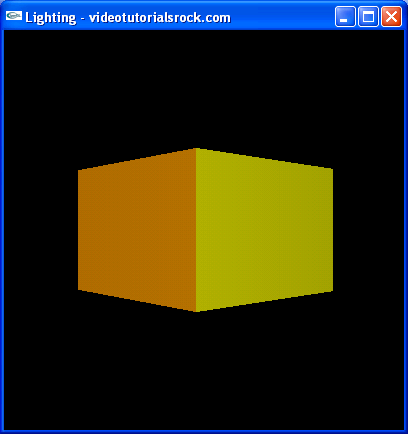
'작업 > opengl' 카테고리의 다른 글
| Lesson 6: Putting It All Together (0) | 2012.07.26 |
|---|---|
| Lesson 5: Textures (0) | 2012.07.25 |
| Lesson 3: Color (0) | 2012.07.05 |
| Lesson 2: Transformations and Timers (0) | 2012.06.29 |
| Lesson 1: Basic Shapes (0) | 2012.06.22 |
